Unblur Image - AI Blur Remover to Remove Blur from Image
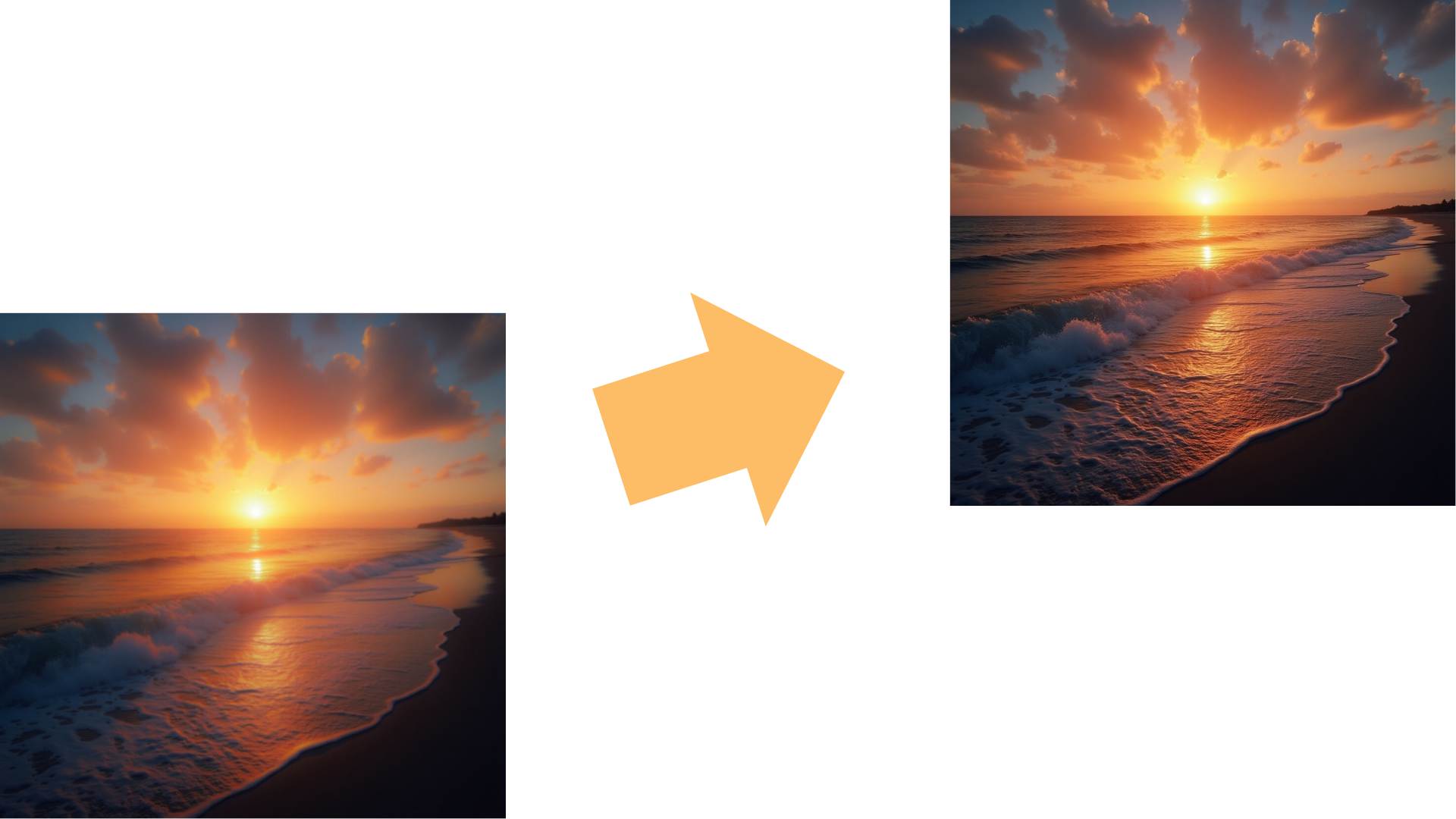
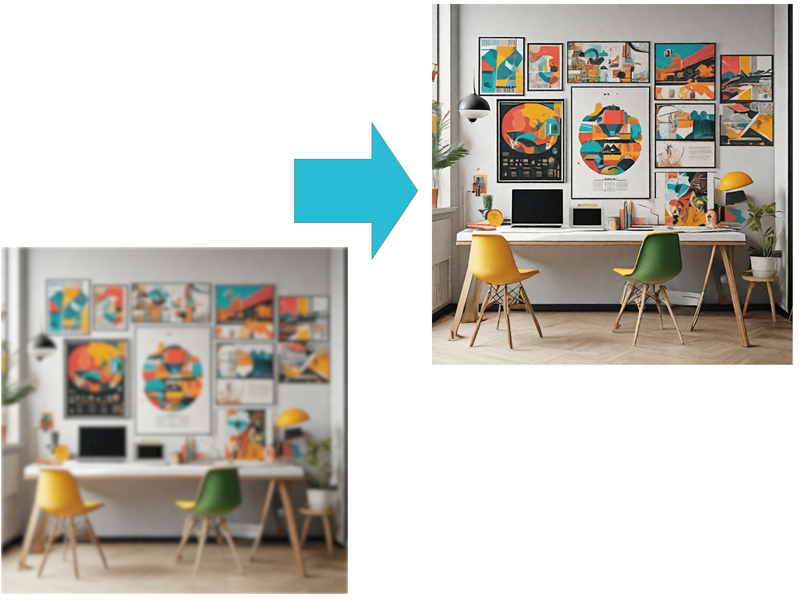
Tired of blurry, pixelated photos ruining your memories? With Remaker's AI-powered blur remover, you can easily unblur images and remove blur from images in just a few clicks. Our advanced photo blur remover automatically analyzes and removes blur from images, delivering crisp, high-quality results instantly. Whether you're a professional photographer or a casual user, simply upload your image and let AI do the work. Enjoy the ease and efficiency of our blur remover tool, and say goodbye to blurry photos forever.

Unblur Image with One-Click Function for Effortless Results
The core feature of Remaker is its ability to unblur images instantly. Using advanced AI algorithms, it analyzes the photo and detects areas that are out of focus or pixelated, then enhances those parts to produce a clear and sharp version. This feature is designed to save you time and effort, providing professional results with minimal input.For even more enhancement, explore our AI Image Upscaler to improve resolution and bring even greater clarity to your images.


AI Blur Remover to Remove Blur from Image with Precision
The AI system is trained to recognize various types of blur, including motion blur, Gaussian blur, and out-of-focus areas, ensuring that no detail is overlooked. This precision means you don't need advanced technical knowledge to achieve professional-grade results. The AI's ability to handle different blur types makes it a versatile tool for all your photo enhancement needs.To further improve your photos, try our Enhance Image for Free Online and effortlessly unblur images for clearer, sharper results.


Image Blur Remover for High-Quality Results with AI
Remaker doesn't just remove blur; it enhances the overall quality of the image. After processing, the photo will not only look sharper but also display more vibrant colors, better contrast, and improved definition. This comprehensive enhancement ensures that your photos look their best, ready to be shared or printed.To unblur image and achieve even sharper results, explore our AI Image Sharpener and enhance image clarity effortlessly.


Unblur Image Automatically with AI Blur Remover for Easy Use
The tool is designed to be user-friendly. Uploading your image is simple, and once it's done, the AI does the hard work automatically, requiring no manual adjustments from the user. This ease of use makes it accessible to everyone, regardless of their technical skills or experience with photo editing.With Remaker's AI blur remover, you can quickly unblur an image and remove blur from an image without any effort.


Use Cases for AI Blur Remover to Unblur Image
Restore Old Photos with Photo Blur Remover
Do you have vintage or old photos that are blurry due to age and poor storage conditions? Remaker can breathe new life into these memories, making them clear again without degrading their authenticity. Preserve your precious memories with our advanced AI technology.Unblur your images now with our AI Photo Editor to restore old photos effortlessly. Use our AI Photo Editor to effortlessly enhance and restore old photos, remove unwanted objects, or adjust details.

Remove Motion Blur from Action Shots with Precision
Capturing fast-moving subjects often results in motion blur, especially in sports, wildlife photography, or family events. Remaker can sharpen these images so you don't lose the precious moment. Ensure that every action shot is clear and detailed, capturing the essence of the moment.Unblur image and restore the clarity of your action shots with ease.

Unblur Image for Social Media-Ready Photos
For influencers and social media enthusiasts, clear and high-quality photos are essential to attract engagement. With this tool, you can unblur your images and improve their overall look before sharing them on platforms. Stand out on social media with sharp, professional-looking photos.Unblur images effortlessly and make your photos sharper and more vibrant. Enhance your content with our AI Image Generator for creative and unique visuals.

Enhance Professional Photography with AI Blur Remover
Professional photographers often encounter out-of-focus images despite using high-end gear. Remaker offers a quick solution to recover and enhance these images, allowing them to be used in portfolios, client presentations, or personal archives. Maintain the highest standards in your professional work with our AI-powered tool.Unblur image effortlessly and achieve crisp, professional results every time.

Improve Product Images for E-commerce with Image Blur Remover
In online sales, blurry images of products can decrease customer confidence. With Remaker, e-commerce sellers can ensure that all product photos are sharp and appealing, which can boost sales. Enhance your product listings and attract more customers with clear, high-quality images.Unblur image and perfect your product photos with our Image Blur Remover. Use our Magic Eraser to remove distractions and perfect your product photos.

Advantages of Using Remaker's AI Image Unblur Tool
Remaker's AI Image Unblur tool offers a range of benefits that make it an ideal choice for anyone looking to enhance their photos. Here are some key advantages:

Fast and Efficient

No Editing Skills Needed

Consistent Quality

Cost-Effective

Enhances Multiple Types of Blurs

Boosts Photo Quality for Social Media
How to use Our Unblur Image Tool?
- 1
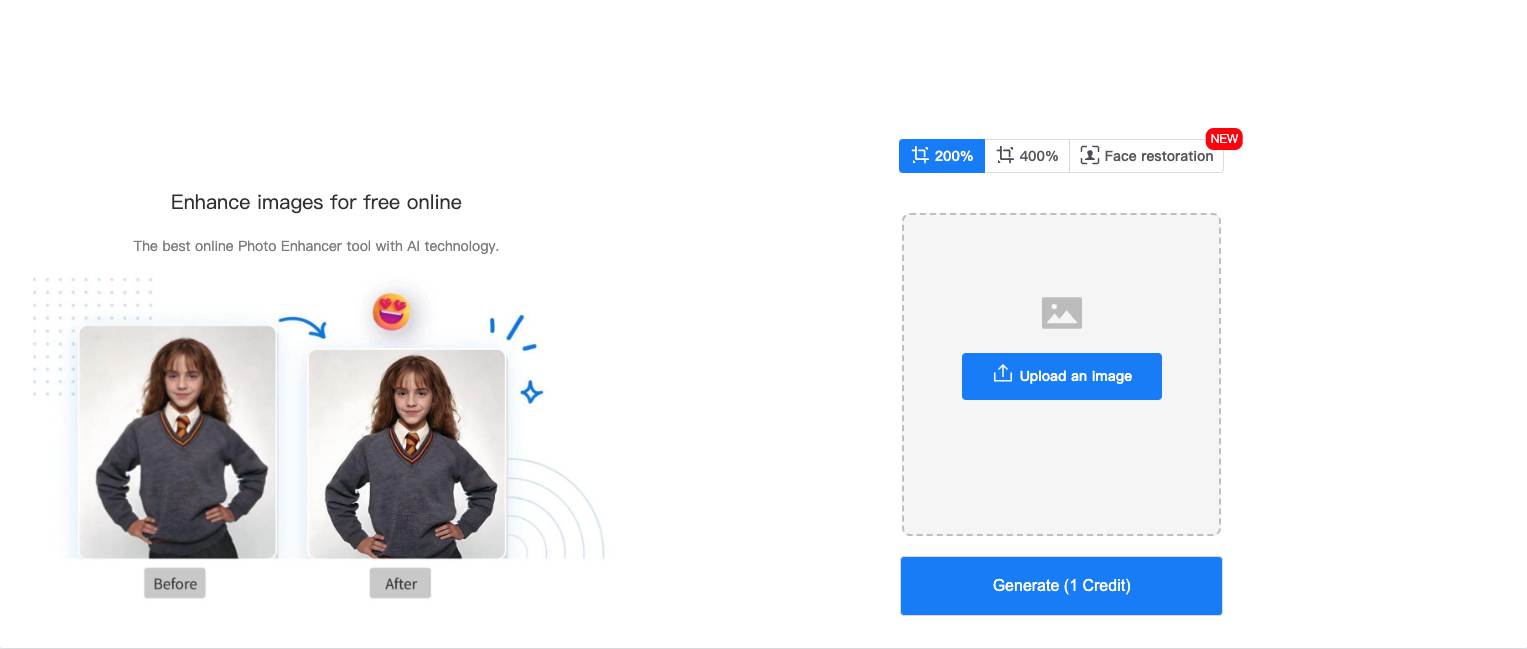
Upload an image
Upload an image that you want to unblur. The process is simple and quick, allowing you to get started right away. - 2
Select the magnification level
Choose the level of magnification to enhance the clarity of your image. Our tool offers various options to suit your needs. - 3
Click 'Generate'
Press the 'Generate' button to start the unblurring process. The AI will take care of the rest, delivering a clear and sharp image. - 4
Save and Share
Once the image is unblurred, save it to your device and share it with others. Enjoy the improved quality of your photos.
Why Choose Our Unblur Image Tool?
Cutting-Edge AI Technology
Our tool leverages the latest advancements in artificial intelligence, ensuring that even the most blurred photos can be transformed into high-quality, sharp images. The AI is continually refined to provide superior accuracy and precision in image enhancement. Trust in the power of AI to deliver exceptional results.
Instant Results
Unlike traditional photo editing software that requires significant time and manual effort, our AI-powered tool delivers results in seconds. This means less time spent on editing and more time enjoying and sharing your photos. Experience the convenience of instant photo enhancement.
Versatile Applications
Our Unblur Image tool is ideal for a wide range of applications, from personal photos and social media posts to professional photography and e-commerce. It handles various types of blur, making it adaptable to any situation.
Save Precious Memories
Blurry images can often mean lost memories, especially when it comes to important events or old photographs. Our tool ensures that these moments can be restored and cherished for years to come.
Consistent Quality
Manual editing can sometimes lead to inconsistent results. Our AI-driven approach ensures that every image you process maintains a high standard of clarity and detail.
Customer Satisfaction
Users around the world have praised the ease of use and effectiveness of our Unblur Image tool. With positive feedback and testimonials, you can trust that the tool delivers on its promises.
Customer Testimonials
Frequently Asked Questions (FAQs)
Remaker uses advanced AI algorithms to analyze blurry areas in your image and restore sharpness. Our AI-powered tool identifies the blur type and intelligently enhances the image to bring back the lost details, making your photos clear and crisp in just a few seconds.
No, you don’t need to install any software to unblur an image with Remaker. Our tool is completely web-based, so you can easily access it online through your browser. Simply upload your image, and Remaker will handle the rest with no downloads or installations required.
Yes, Remaker ensures that the original quality of your image is preserved when unblurring. The tool enhances clarity without compromising the resolution, ensuring your photos remain high-quality and pixel-perfect after processing.
Absolutely. At Remaker, your data privacy is our top priority. We use secure encryption methods to protect your images and personal information. Uploaded photos are automatically deleted from our servers after a short period, ensuring your data is never stored long-term.
Remaker’s unblur image tool works quickly, typically processing images in just a few seconds. The exact time may vary depending on the complexity of the image, but overall, Remaker is designed for fast and efficient results, allowing you to unblur images with minimal waiting time.
Yes, Remaker supports batch processing, allowing you to unblur multiple images at once. This feature is especially useful for e-commerce sellers, photographers, and anyone who needs to process multiple images quickly and efficiently.
Remaker allows you to remove blur from an image online with ease. Simply upload your image, and our AI-powered blur remover automatically detects and fixes blurred areas, restoring clarity without the need for complex software. No installations or sign-ups required—just a fast and simple online solution.
Remaker is one of the best blur removers online tools, providing an AI-driven solution to instantly unblur images. Whether you're dealing with motion blur, out-of-focus areas, or general image softness, our tool delivers high-quality results online, without the need for any software downloads.