Sharpen Image Online - Free AI Image Sharpener to Make Photos Clearer
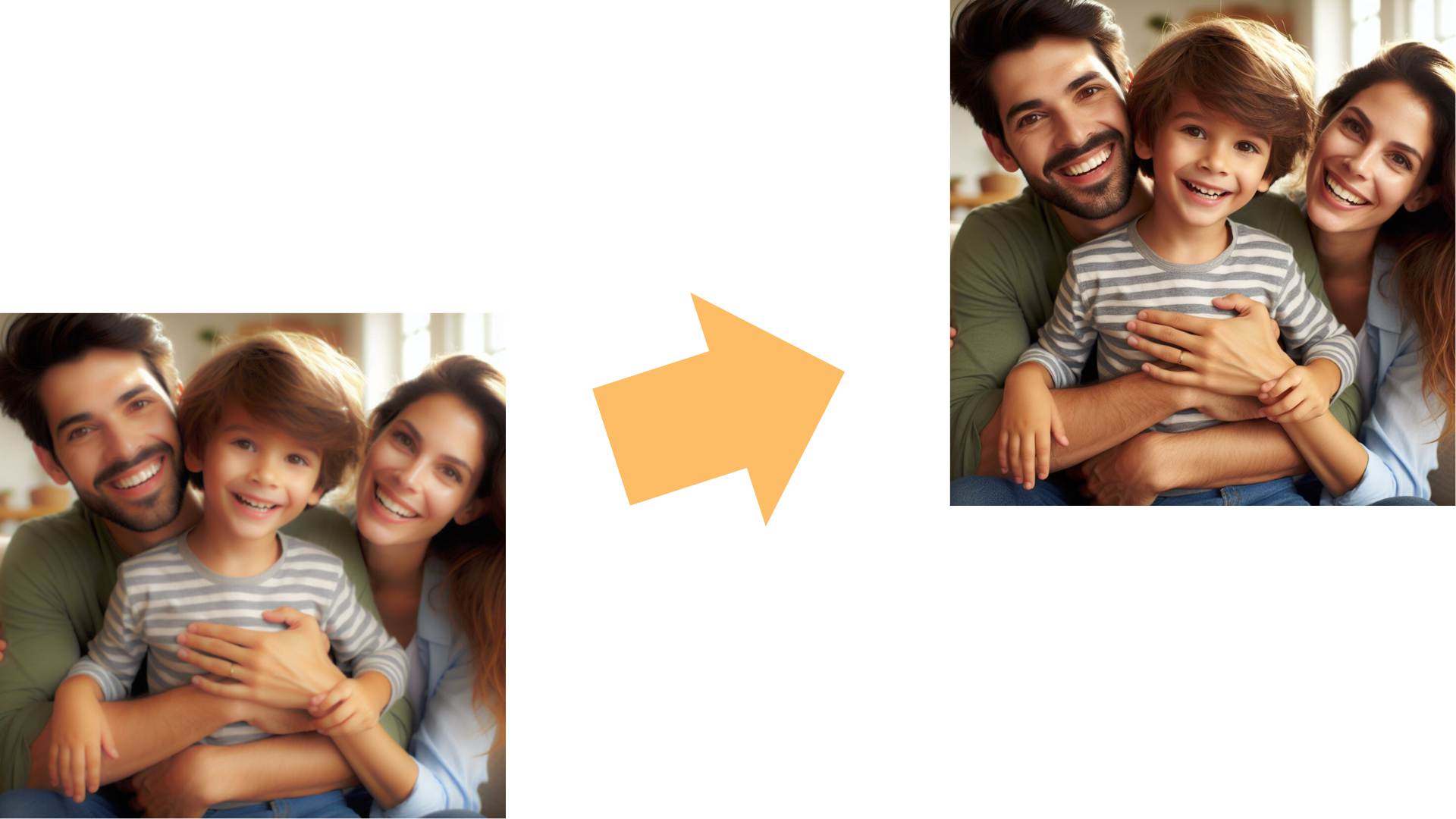
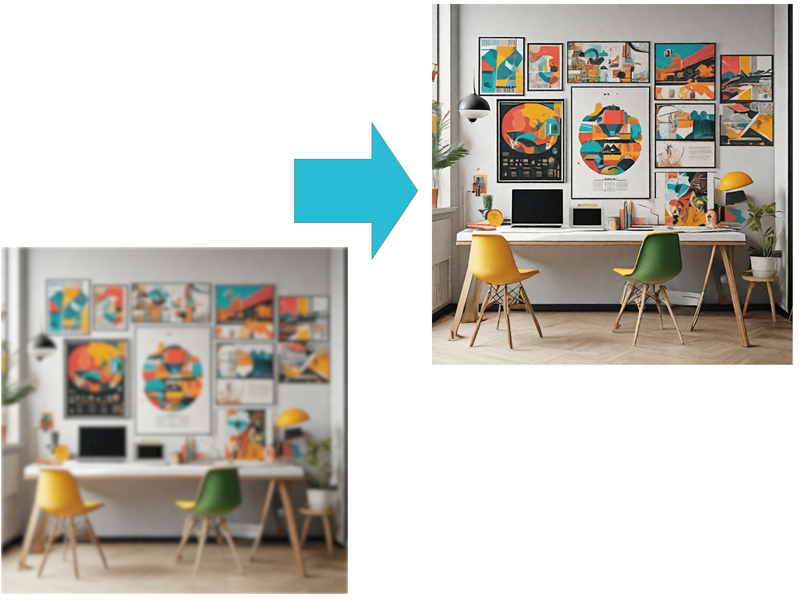
Blurry images can reduce the impact of your visuals. Whether you're sharing on social media, presenting in a business setting, or preserving memories, sharp, clear photos are essential. With Remaker's Free AI Image Sharpener, you can instantly sharpen images online, making photos clearer and revealing hidden details that blur may hide. Sharpen Images now and make photos clearer with just a few clicks.

AI Image Sharpener for Clearer Photos
Remaker utilizes cutting-edge AI technology to analyze your image, detect areas of blur, and enhance them with remarkable precision. The AI identifies subtle details that are often lost in blurry images and restores them, resulting in clearer and more detailed photos.
This AI image sharpener works as a photo sharpener to sharpen image edges naturally and deliver clearer photo results. If you also want a higher resolution after you sharpen the image, try the AI Image Upscaler for even cleaner output.


Sharpen Image Online for Clearer Images
The AI sharpens not only the obvious blurred areas but also uncovers minute details that were previously lost. Whether it’s the texture of a fabric, the fine lines of a face, or distant objects in the background, Remaker brings clarity to every part of your photo.
Use it to sharpen image details online, making every image clearer while keeping textures realistic. For heavy blur before you sharpen the image, you can start with Unblur Image to recover clarity first.


One-Click Photo Sharpener Online
Unlike traditional editing tools that require manual fine-tuning, Remaker is fully automated. The AI determines the optimal sharpening level based on the image's characteristics, ensuring the best possible result without the need for user intervention.
This photo sharpener is built for online speed, helping you sharpen an image in one click and keep the results clearer every time. After you sharpen the image, boost the overall look with the AI Photo Enhancer for a more polished finish.


AI Image Sharpener for Better Quality
The tool doesn't just sharpen the image; it also enhances the overall quality by improving contrast, color accuracy, and brightness. This results in a professional-grade image that stands out whether viewed on a screen or printed out.Beyond clarity, this AI image sharpener can sharpen image quality and make the image clearer, so your photos stay crisp and clearer on screen and in print.


Use Cases for AI Image Sharpener
Sharpen Image for Social Media
Blurry photos can affect your social media presence, reducing engagement and followers. With Remaker, you can ensure all your images are sharp and professional, enhancing your profile's appeal on platforms like Instagram, Facebook, and Twitter.
Use this AI image sharpener as a quick photo sharpener to sharpen image posts for photo clearer feeds. For extra tweaks, try the AI Photo Editor.


Photo Sharpener for E-commerce Product Images
For online sellers, clear product images are crucial for attracting buyers and boosting sales. A blurry product image can drive potential customers away. Remaker's AI sharpens product photos, showcasing items in their best light and making them more appealing to customers.This photo sharpener and AI image sharpener can sharpen image edges and textures, making listings image clearer and more persuasive. Then polish product shots with Remove Background.


Sharpen Image for Old Photos Restoration
Over time, photos tend to lose their sharpness due to wear and tear. Remaker allows you to restore these old memories by sharpening the image while maintaining its authenticity.This AI image sharpener helps you sharpen the image gently while keeping the original grain. You get photo clearerkeepsakes and a clearer image look.


AI Image Sharpener for Professional Photography
Whether you're a professional photographer or a hobbyist, Remaker helps you achieve the sharpness needed for portfolio-worthy photos. If you find that some shots are slightly out of focus, Remaker's AI can quickly bring them up to professional standards.
As a dependable photo sharpener, it helps you sharpen image focus on eyes and textures. This AI image sharpener keeps the results photo clearer without harsh artifacts.


Sharpen Image for Event Photography
Capture important moments like weddings, birthdays, or corporate events without worrying about blurry photos. Remaker sharpens event photos, ensuring that every memory is clear and well-preserved.
Use the AI image sharpener to sharpen image group shots so faces stay clearer. A quick photo sharpener step makes every album photo clearer.


Advantages of Using Remaker's AI Image Sharpener

Instant Enhancement

Ease of Use

Enhance the Overall Photo

Consistent Results

Perfect for Any Photo

Affordable Solution
How to use Our Sharpen Image Tool?
- 1
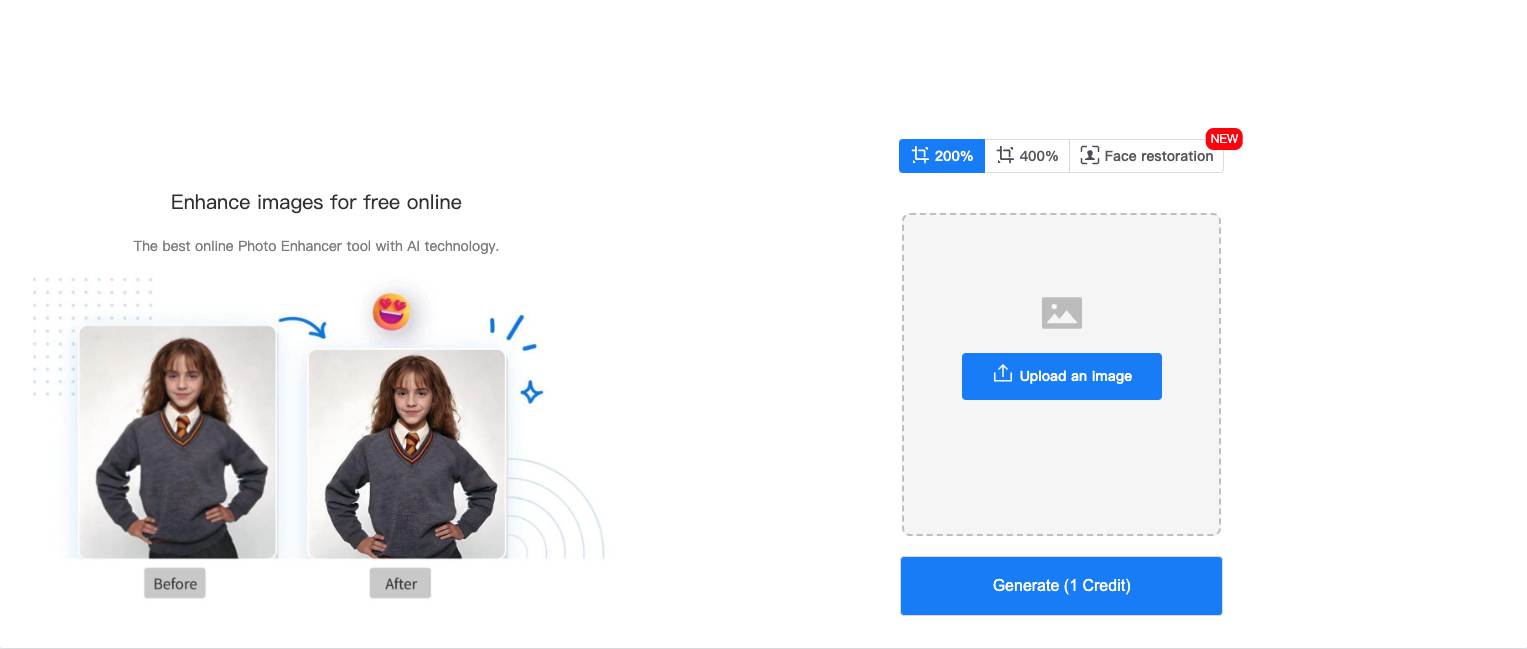
Upload an image
Choose the image you want to sharpen from your device. - 2
Select the magnification level
Decide how much you want to enhance the image by selecting the appropriate magnification level. - 3
Click 'Generate'
Press the 'Generate' button to let the AI process and sharpen your image. - 4
Save and Share
Save your newly sharpened image and share it with friends, family, or on social media.
Customer Testimonials
Frequently Asked Questions (FAQs)
Remaker’s AI Image Sharpener uses AI to detect blur, soft edges, and low-detail areas, then enhances them selectively to sharpen image details. It focuses on faces, text, and textures, so you can sharpen an image online while keeping the result natural.
Yes. Remaker can be used as an image sharpener free option with a simple flow: upload, process, preview, and download. The AI Image Sharpener helps you sharpen images quickly online without complicated settings.
In most cases, yes. Remaker’s AI Image Sharpener can sharpen images for portraits, product photos, landscapes, documents, and old photos. If a photo is extremely blurred or heavily compressed, it can still sharpen the image, but the results depend on how much original detail remains.
Usually not. A good AI Image Sharpener improves perceived clarity rather than lowering quality, but over-sharpening can create halos or grain. For best results, sharpen the image to a natural level and export at high resolution to keep the photo clean.
When you sharpen an image online, the file must be processed to generate the result. For accurate details on storage, retention, and security, review Remaker’s privacy policy and data terms. If you need maximum privacy, avoid uploading highly sensitive images even when using an AI Image Sharpener.
Most photos process quickly, often in seconds. The time to sharpen an image online depends on file size, network speed, and how much enhancement the AI Image Sharpener applies. Larger images may take longer, but the workflow stays simple.
If Remaker supports multi-file upload in your current flow, you can batch-sharpen images in one run. If batch upload is not available, you can still use Remaker as a picture sharpener by processing images one by one. The AI Image Sharpener helps keep results consistent across a set.