AI Photo Enhancer (No Sign-up) - Free Online Effortlessly Enhance Image Quality
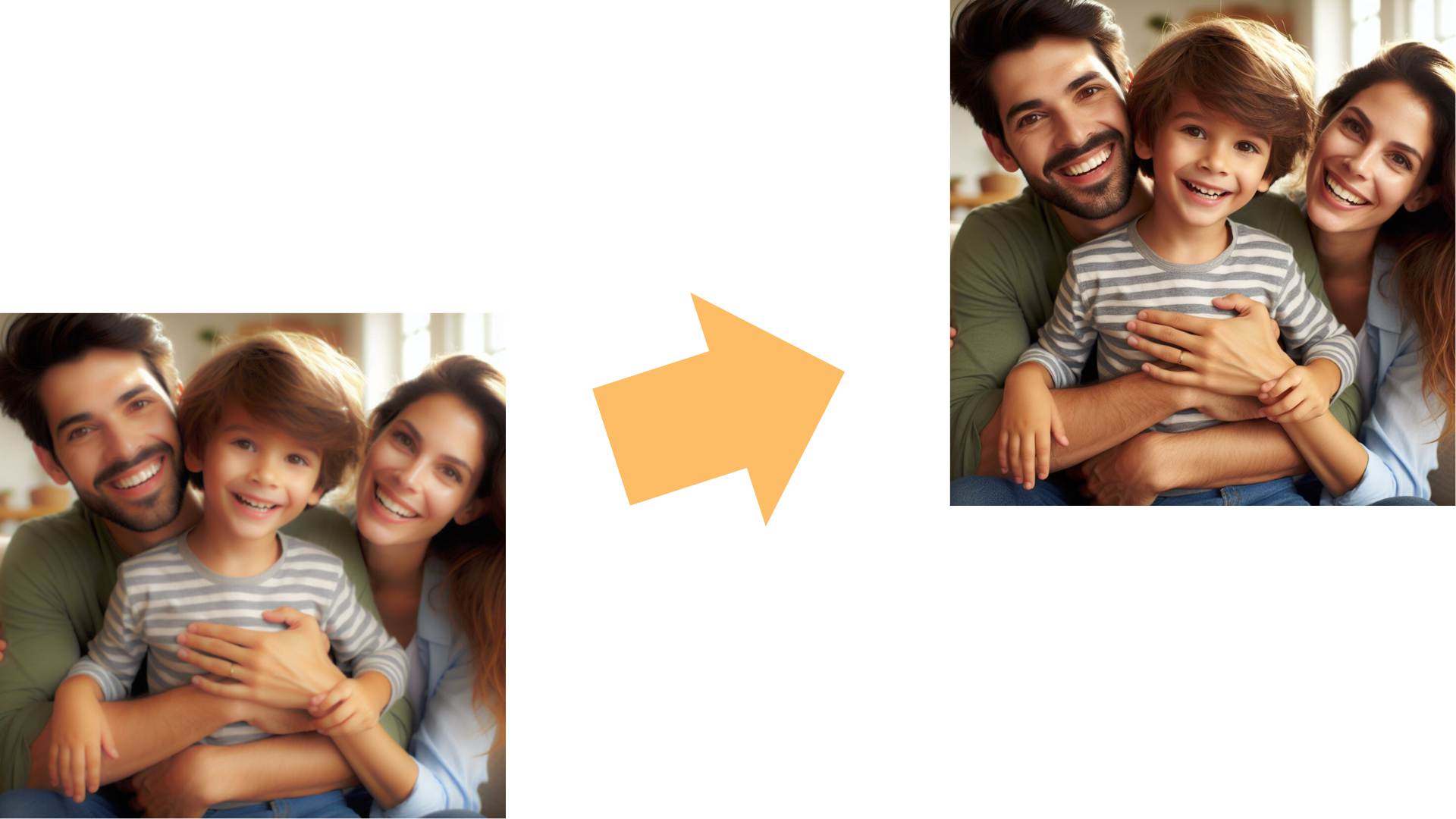
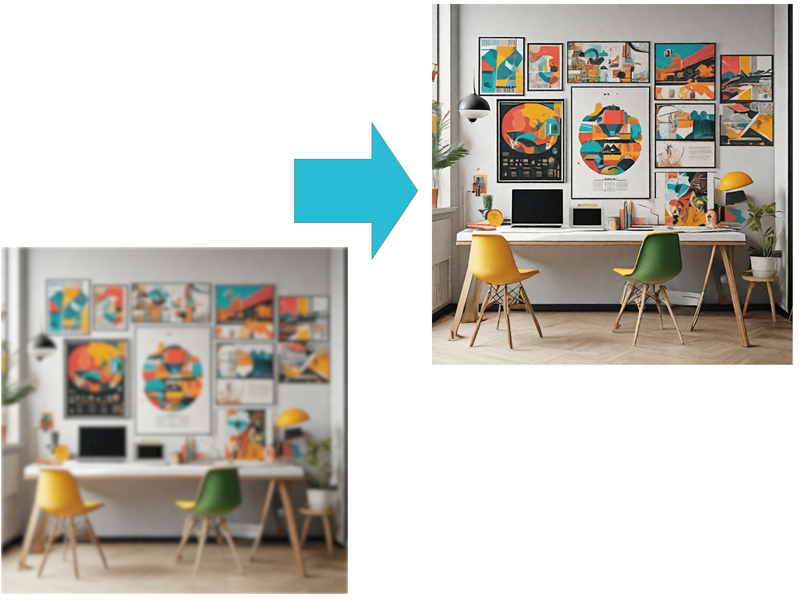
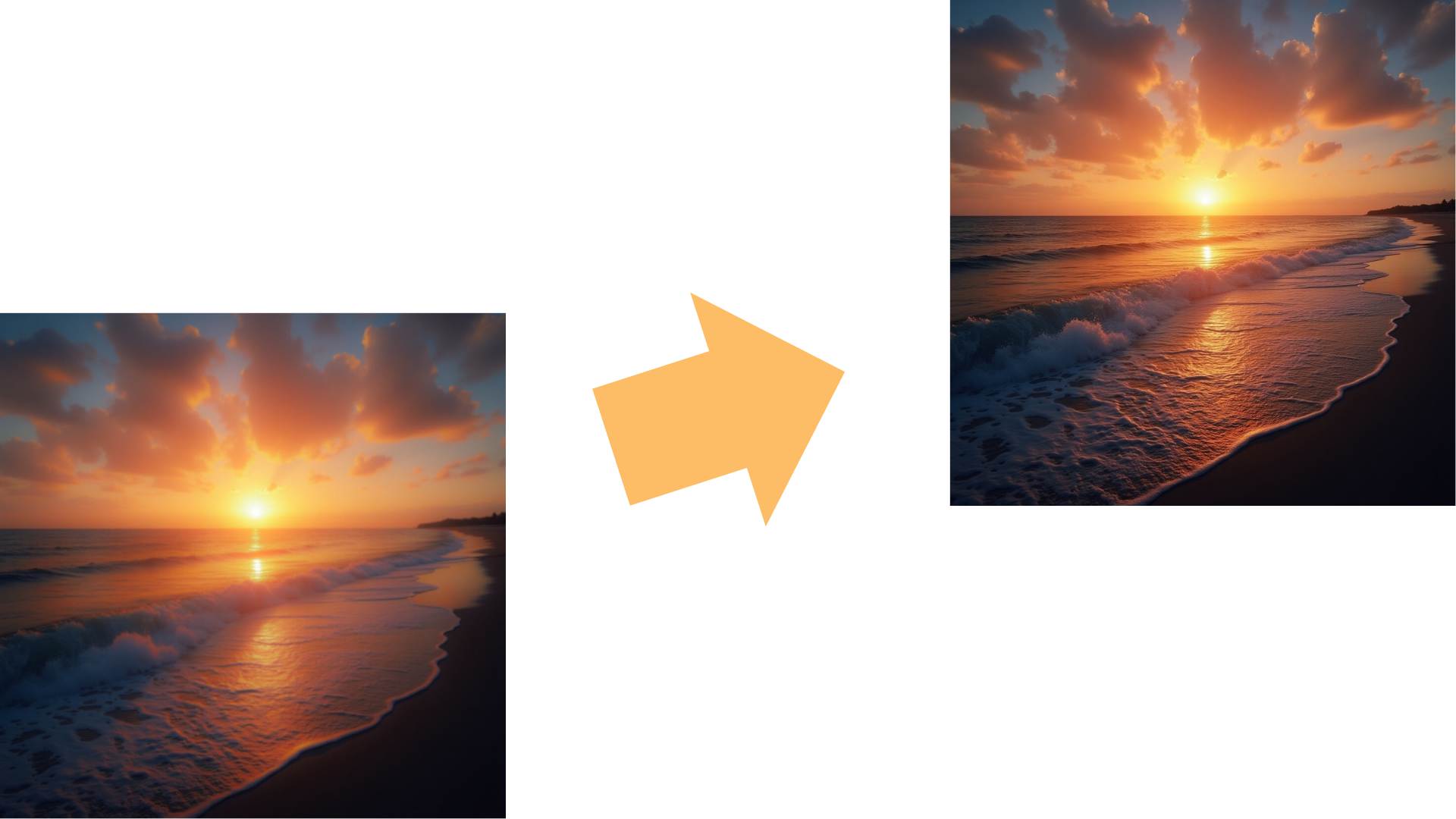
The AI Photo Enhancer by Remaker offers you the ability to elevate image quality, refine details, and add vivid clarity to every shot— all in just seconds.

AI-Powered Image Enhancer to Enhance Photo Quality
The Remaker AI Photo Enhancer leverages deep learning models to detect and optimize key elements in an image. By identifying areas that require clarity and adjusting brightness, contrast, and sharpness automatically, the tool enhances your photos while preserving their natural appeal.
Remaker simplifies photo enhancement into a fast workflow with its AIImage Enhancer, using intelligent, scene-aware adjustments to deliver consistent results whether you are shooting portraits, landscapes, or everyday photos. With one-click Enhance Photo tools, it boosts sharpness, color, and detail without over-processing, so images stay natural, clean, and true to life.


Advanced Noise Reduction to Enhance Photo and Image Quality
Unwanted grain or noise can diminish the quality of images, especially in low-light or high-ISO settings. The AI tool intelligently reduces noise without affecting image quality, keeping images crisp and free from distortion.
Designed for low-light and high-ISO situations, this noise reduction smooths grain while keeping edges and textures intact, so photos look clean but not plastic. If you also want sharper detail and higher definition after denoising, pair it with AI Image Upscaler.


Photo Quality Enhancer to Enhance Photo Color
Enhancing image quality often means improving color fidelity and vibrancy. The AI Photo Enhancer fine-tunes colors, restoring and amplifying natural tones to make images more vivid, while maintaining balanced saturation levels.
This Photo Quality Enhancer does not simply increase saturation. Instead, it intelligently optimizes hues to deliver more accurate, vibrant colors while maintaining a natural skin tone balance. With one-click Enhance Photo capabilities, it makes skies, greenery, and fine details look more vivid, clean, and striking without overprocessing.


Image Quality Enhancer to Enhance Photo Resolution
The tool also upscales images, improving resolution without compromising quality. The AI technology fills in missing pixels for a smoother, sharper image, making it ideal for printing or digital projects where clarity is essential.
When you need larger images for print, web banners, or product pages, Remaker upscales resolution while preserving clean lines and readable details. For a crisper finish that tightens edges after enlargement, use AI Image Sharpener.


Detail Restoration to Enhance Photo Clarity
Tiny details can make all the difference. The AI Photo Enhancer restores minute details that might be lost during the original shot, adding a pop of clarity to even the smallest elements.
With the Remaker AI Photo Enhancer, you can enhance photo sharpness and enhance image detail in one click, bringing back textures, edges, and fine elements that are easily lost in standard edits, so every shot looks cleaner, richer, and more lifelike. For a sharper reveal of fine textures, try the Unblur image for free online.


Automatic Background Enhancement to Enhance a Photo
The AI Photo Enhancer can automatically enhance backgrounds, ensuring that the main subject stands out while the background remains visually appealing. This feature is perfect for portraits and product photography.
As part of the Remaker AI Photo Enhancer, this smart background feature helps you enhance photo composition and enhance image depth automatically, making subjects pop while keeping backgrounds clean, balanced, and professional for portraits, product shots, and social media visuals.


Advantages of Using AI Photo Enhancer
Fast and Easy Photo Quality Enhancer
With AI automation, you don't need advanced skills to create beautiful, high-quality photos. This tool's intuitive interface makes it possible for anyone to enhance images with a single click, saving time and effort.


Consistent Results with an Image Quality Enhancer
Manual editing can lead to inconsistent results across multiple images. With AI, every image is enhanced consistently, ensuring a professional touch across all photos.


Versatile Image Enhancer for Every Photo
Whether you're working on portraits, landscapes, or product shots, the AI Photo Enhancer adapts to various photo types, applying precise adjustments based on the content.


Enhance Photo for Social Media and Marketing
High-quality images are crucial for social media engagement and marketing. With enhanced visuals, brands can make a more powerful impact on audiences, boosting views and likes.


Use Cases for AI Photo Enhancer

E-commerce and Product Photography

Social Media Influencers and Content Creators

Real Estate Listings

Personal Use and Family Albums

Professional Photographers and Designers

Event Photography
People Say
Frequently Asked Questions (FAQs)
The AI Photo Enhancer uses advanced algorithms to identify areas in the image that need improvement and automatically applies enhancements such as noise reduction, sharpening, color correction, and more to create a polished look.
Yes! The AI Photo Enhancer is designed with simplicity in mind, making it easy for users of all skill levels to achieve professional-looking results with just a few clicks.
Absolutely. While the tool applies enhancements automatically, you have control over the intensity settings, allowing you to customize the look of each image.
Yes, the AI Photo Enhancer supports a range of formats, including RAW, JPEG, and PNG, allowing you to work with high-quality images directly from your camera.
Yes. The AI technology preserves resolution and detail, ensuring your images look sharp and clear in both digital and print formats.
The AI Photo Enhancer is optimized for speed, with most enhancements completed in seconds, depending on the file size.
While some online versions require an internet connection, many offline versions are available for users who prefer to work without connectivity.
Yes, many AI Photo Enhancers offer a free trial or a limited free version to help you explore the tool's capabilities before committing.
Yes, you can batch-process images, allowing you to save time by enhancing multiple photos simultaneously.
Traditional editing software often requires manual adjustments, which can be time-consuming. The AI Photo Enhancer automates the process, providing high-quality results in a fraction of the time.
Yes, the AI Photo Enhancer is currently completely free to use. It works as a free photo enhancer or a photo enhancer free with no hidden charges. You can rely on this AI image enhancer to enhance photo sharpness and enhance image clarity for all your pictures without paying or adding a card.
Yes, you can use the AI Photo Enhancer directly in your browser with no downloads. It works as a photo enhancer online free, so you just open the site, upload your file, and let the AI photo enhancer online free process enhance the photo and enhance the image quality for you in a few clicks.
The AI Photo Enhancer uses smart algorithms to analyze each picture and automatically enhance photo detail, enhance image color and contrast, reduce noise, and restore lost texture. As an AI-based image enhancer, it gives you cleaner, sharper, and more vibrant results without complicated manual editing.